After managing Google Ads campaigns for local businesses, emergency services, and other lead generation businesses, I've realised something important:
Most campaigns don't fail because of bidding. They fail because the foundations are wrong.
Many business owners spend weeks adjusting bids, increasing budgets and testing ad copy, when the real issues started before the first click was ever purchased.
Here's the blueprint I follow when launching a new local lead generation campaign.
1. Build Your Location Strategy Before You Build Your Campaign
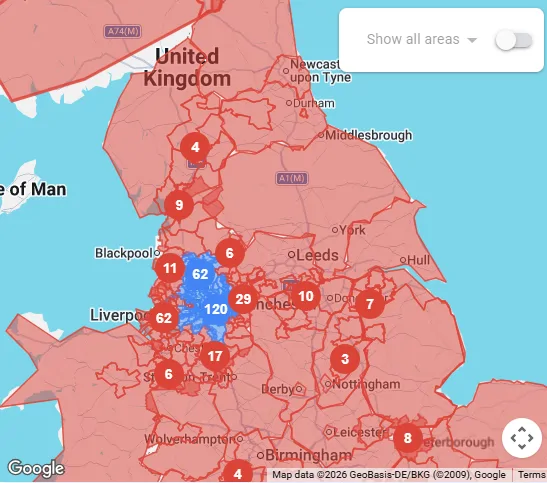
This is probably the biggest mistake I see.
Let's say you're based in Manchester, UK and want customers within 20 miles.
Most advertisers simply target Manchester + 20 mile radius.
I don't.
Instead, I include only the postcodes I actually want business from and exclude every other postcode in the UK.
Why?
Because Google doesn't always interpret radius targeting the way you expect. You'll often find clicks coming from places you'd never realistically serve.
Being strict with locations from day one means:
-
Better quality enquiries
-
Less wasted budget
-
Faster optimisation
-
Better conversion rates
The cleaner your location targeting is, the faster Google's algorithm learns who your ideal customer actually is.
2. Track Only The Conversions That Actually Make You Money
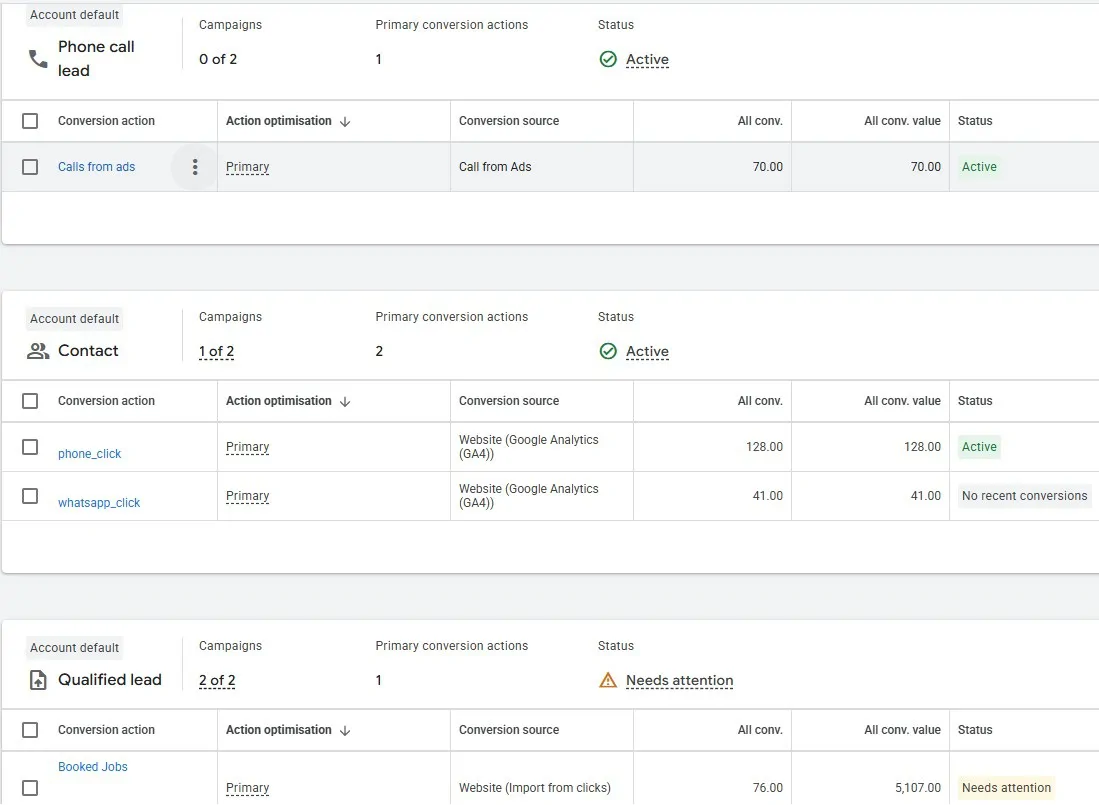
This is another area where many campaigns go wrong.
If your business wins customers through phone calls or WhatsApp messages, those should be your primary conversion actions.
Using Google Tag Manager, track:
-
Website phone call clicks
-
WhatsApp clicks
-
Contact form submissions (if they're genuine enquiries)
Then take it one step further.
Capture the Google Click ID (GCLID) when a lead arrives.
Once you know which enquiries became paying customers, upload those back into Google Ads as Offline Conversions.
This tells Google exactly which clicks generated revenue, not just which visitors clicked a button.
Your campaigns learn dramatically faster when Google's optimisation is based on real customers instead of simple website interactions.
One more tip...
Don't fill your account with unnecessary conversions like:
-
PDF downloads
-
Get directions
-
Time on site
-
Scroll depth
Every unnecessary conversion makes Google's optimisation less focused.
Keep your primary conversions simple.
If it doesn't help generate revenue, don't optimise for it.
I also recommend installing Microsoft Clarity.
It's completely free and allows you to watch real visitor sessions, identify where people abandon your website and understand why visitors aren't converting.
Sometimes a £0 website improvement produces better results than increasing your ad budget.
3. Plan Your Landing Pages Before Choosing Keywords
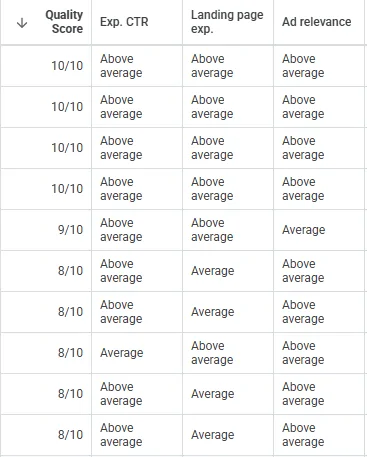
Many advertisers start with keyword research.
I do the opposite.
First I decide exactly which services deserve their own landing pages.
For example:
-
Emergency tyre replacement
-
Mobile tyre fitting
-
Locking wheel nut removal
-
Battery replacement
Each service receives its own highly relevant landing page.
Then each page becomes its own ad group.
Only then do I build the keywords around that page.
This gives Google an extremely clear understanding of:
-
Search intent
-
Ad relevance
-
Landing page relevance
Better Quality Scores usually follow.
4. Start With Phrase Match
When launching a new campaign, control is everything.
I almost always begin with Phrase Match keywords centred tightly around the core service.
This gives enough flexibility to find valuable searches while preventing Google's broad matching from spending money on irrelevant traffic before the account has enough conversion data.
Once sufficient data exists, broader keyword expansion becomes much safer.
5. Negative Keywords Are Your Steering Wheel
People often think keywords control a campaign.
In reality...
Negative keywords determine where your campaign goes.
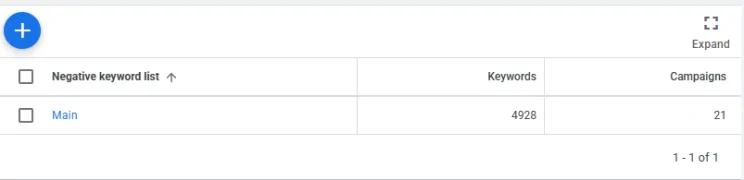
The more complete your negative keyword list becomes, the more control you have over your spend.
Every campaign should have negatives for generic searches such as:
-
Jobs
-
Careers
-
Salary
-
Training
-
DIY
-
Free
-
Cheap (when unsuitable)
-
Reviews (where irrelevant)
-
Images
-
YouTube
-
PDF
-
Manual
And keep adding to the list every week.
Negative keyword optimisation never really stops.
Your task everyday before the campaign starts is look at your searches for yesterday and add negative keywords from those searches where required.
6. Don't Ignore Assets
Assets can significantly improve performance.
For lead generation businesses I nearly always use:
-
Call Assets
-
Message Assets
But here's something many people don't mention...
Just because an asset exists doesn't mean it should stay.
Monitor performance.
If a particular asset receives impressions but rarely generates enquiries, remove it.
Every element of the account should justify its place.
7. Leave Bid Strategy Until Last
This surprises many people.
Bid strategy should be the final piece of the puzzle, not the first.
If your targeting, keywords, landing pages and conversion tracking are poor, no bidding strategy will fix them.
Once everything else is ready, I typically launch using:
-
Maximise Conversions
-
A sensible Target CPA
-
A maximum CPC cap
One lesson I've learned from real campaigns:
If you give Google unlimited freedom from day one, don't be surprised to see individual clicks costing £40, £50 or even £60.
Until the campaign has enough reliable conversion data, keep control of your maximum CPC.
As the account matures and Google's machine learning has genuine customer data to work with, you can gradually relax those limits if performance justifies it.
The Biggest Lesson
Google Ads optimisation starts long before your first impression.
Campaigns become profitable because of:
-
Accurate conversion tracking
-
Strong landing pages
-
Tight locations
-
Good keyword structure
-
Continuous negative keyword optimisation
-
Smart bidding controls
Not because someone increased the budget.
I've seen campaigns with modest budgets consistently outperform accounts spending several times more simply because the foundations were built correctly.
The algorithm is incredibly powerful but only when you feed it clean data.
Build the foundations first.
The optimisation becomes much easier afterwards.

Join the discussion
Comments